Deploying the best cloud storage 2026 requires balancing direct subscription overhead costs against the robust cryptographic realities of modern data privacy. As consumer and enterprise file sizes surge alongside automated system backups, picking a storage provider based solely on initial free space tiers can lead to severe financial pitfalls or unexpected data exposures. To make an informed choice, you must analyze how major ecosystems handle cloud infrastructure, server jurisdictions, and data security models.
The Intersection of Storage Cost and Data Privacy
The consumer storage market has fundamentally shifted. Storage platforms are no longer evaluated as simple virtual hard drives. Instead, they are judged by their encryption architectures and corporate operating models. The primary distinction lies between standard centralized server environments and zero-knowledge, client-side encrypted alternatives. Understanding this architecture is critical for protecting personal files or configuring remote deployment environments from home.
🔒 Privacy & Price Core Alignment Matrix:
A cheap storage tier often implies that your data is indexed for machine learning or advertising profiles. True cryptographic isolation typically commands a premium price due to the server-side processing overhead required to manage blind data streams safely.
Concurrently, the dropping cost of high-capacity hard drives has made self-hosting a practical alternative to public cloud platforms. This allows tech-savvy users to compare commercial subscription services against custom local setups over a multi-year timeline.
The Technical Evolution of Cloud Privacy Protocols
Historically, cloud backup environments operated on a model of transport security only. Files were encrypted while traveling across the open internet via Transport Layer Security (TLS), but once they landed on corporate server farms, the provider held the master decryption keys. This allowed corporate algorithms to scan user data freely. In 2026, user demand has pushed the industry toward server-side isolation, forcing consumers to look deeply at how data centers handle indexing blocks, thumbnail generation caching, and temporary session state retention variables.
Google Drive Pricing: Centralized Convenience vs. Privacy Limits
For administrators configuring secure remote testing spaces, you can browse our comprehensive Tutorials path to see how custom backup tasks can safely shield directories before data leaves your local network.
Google remains a dominant force in cloud storage because it integrates seamlessly with mobile devices and workspace environments. When evaluating google drive pricing, the financial tiers scale logically, but the underlying privacy framework remains centralized rather than private.
The consumer storage packages operate under the Google One umbrella, split into distinct capacity milestones:
- 15 GB Allocation: Free tier, distributed across Gmail, Google Drive, and media storage.
- 100 GB Basic Plan: Affordable entry point designed for basic mobile backups.
- 200 GB Standard Plan: Extended capacity featuring shared family storage access.
- 2 TB Premium Tier: Advanced workspace features alongside deep storage allocations.
The Privacy Caveat: Server-Side Indexing
Because Google is based in the United States, your files fall under the legal scope of the US Cloud Act and Patriot Act. More importantly, Google Drive does not feature default zero-knowledge encryption for consumer accounts. The platform holds the decryption keys, meaning its servers index file content to power automated search filters and system tools. For users storing sensitive development builds or corporate spreadsheets, this requires encrypting files locally before initiating a cloud sync pipeline.
The Deep Financial Realities of Scaling on Google One
While the initial tiers under the consumer tier look highly competitive, scaling past the 2 TB threshold introduces steep, linear pricing jumps. Google offers 5 TB, 10 TB, and up to 30 TB tiers, but these are structured as enterprise maintenance fees rather than scalable consumer plans. If your home lab environment pushes multi-terabyte raw backup images to the cloud every single week, the multi-year subscription trajectory becomes an aggressive recurring operating liability that dwarfs initial hardware expenses.

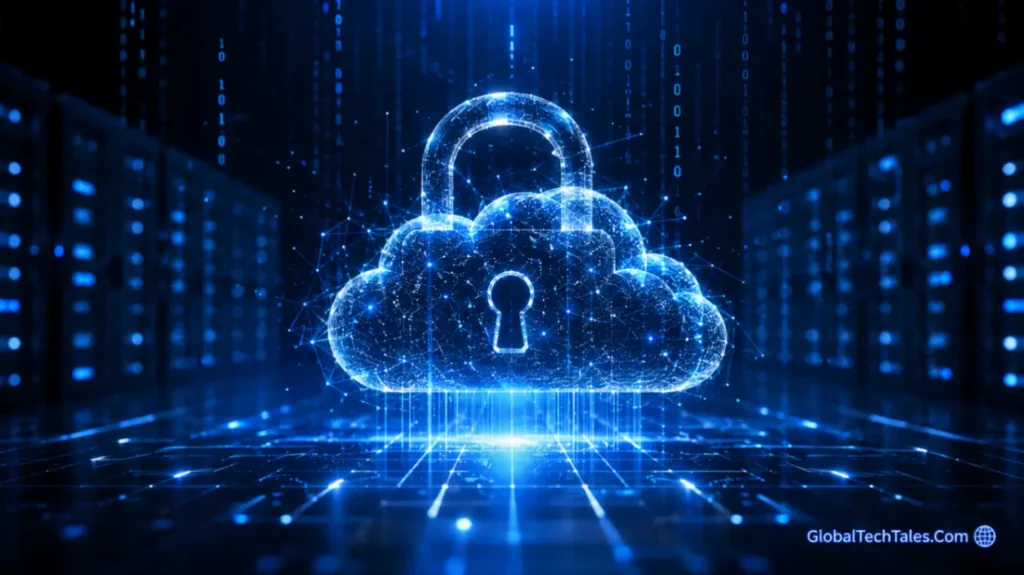
Figure 1: Data allocation models within centralized cloud ecosystem dashboards.
For administrators configuring secure remote testing spaces, you can browse our comprehensive Tutorials path to see how custom backup tasks can safely shield directories before data leaves your local network.
Is iCloud Worth It? Assessing Apple’s Ecosystem Costs
For users operating inside the macOS and iOS ecosystems, deciding if is icloud worth it comes down to comparing native convenience against independent privacy options. Apple’s iCloud+ provides unique platform advantages that third-party apps cannot match due to mobile sandbox rules.
Native Features Beyond Storage
iCloud+ manages device images, live application states, and photo galleries in the background without user intervention. Additional features like iCloud Private Relay and Hide My Email offer instant network obfuscation layers. This value makes the monthly subscription price a practical choice for users focused on seamless Apple ecosystem backups.
Advanced Data Protection (ADP) Analysis
By default, Apple manages encryption keys for standard accounts, meaning your files could be accessed during a server-side breach. However, activating Advanced Data Protection (ADP) shifts iCloud+ into a true zero-knowledge structure. When enabled, the encryption keys are stored strictly on your trusted local devices.
“Activating Advanced Data Protection removes Apple’s ability to decrypt your files. The user holds absolute ownership of the master recovery keys, securing cloud data against server-side vulnerabilities.”
The Lock-In Dilemma for Cross-Platform Environments
The largest technical challenge of utilizing iCloud+ as your primary cloud destination arises if your pipeline shifts outside of Apple hardware. While Apple provides a web panel and a basic iCloud application for Windows systems, the file transfer engines lack native optimization. They can experience severe synchronization lockups, metadata losses, and delayed change propagation. If your work requires spinning up Linux environments or working with Android mobile devices, the ecosystem lock-in makes it hard to recommend over agnostic storage architectures.
If you are analyzing how web endpoints manage authentication protocols across public cloud clusters, you can review those core issues on the official OWASP Top 10 Security Vulnerabilities tracker to understand cloud security risks globally.
Proton Drive: Swiss Jurisdiction and Best Cloud Storage 2026 Privacy
When searching for the best cloud storage 2026 with a focus on strict privacy, Proton Drive offers a completely different architectural approach. Headquartered in Switzerland, Proton operates under the Swiss Federal Data Protection Act, meaning all file systems, directory paths, and metadata blocks are encrypted client-side before uploading.
True Cryptographic Privacy
Proton removes the need for blind platform trust. Because the system cannot read your files, a server breach at their facility reveals nothing but unreadable ciphertext. This model makes it an excellent choice for security experts, researchers, and teams handling proprietary intellectual property.
Performance Trade-offs
The main trade-off with Proton Drive is processing speed and collaboration flexibility. Since every file is processed by your local CPU before uploading and decrypted locally upon download, sync operations take longer than Google’s unencrypted system. Furthermore, editing documents with multiple users simultaneously is more restrictive inside an encrypted environment.
The Mathematics of Client-Side Processing Overhead
Because Proton utilizes OpenPGP cryptography natively across its app suite, your end-point machine is directly responsible for computing file hashes and executing symmetric key handshakes. When synchronizing massive datasets—such as thousands of small source code scripts or virtual lab templates—your system must generate unique cryptographic blocks for every item. This can create localized CPU spikes, requiring modern multi-threaded chips to maintain high-speed throughput without stalling background applications.
Self-Hosting: Designing the Best Cloud Storage 2026 Local Alternative
For users who want absolute data ownership, skipping commercial cloud services for a local deployment is the ultimate strategy. Running Nextcloud or TrueNAS SCALE on private hardware grants you full authority over your data storage parameters.
The True Cost of Local Hardware
The cost model for self-hosting is inverted compared to public clouds. Instead of paying recurring monthly subscription fees, you face an upfront hardware cost. This includes a Network Attached Storage (NAS) box, low-power processing boards, and enterprise-grade hard drives built for 24/7 runtimes. Over a 5-year hardware lifecycle, the cost per terabyte drops significantly below commercial rates, even when factoring in drive replacement rates and electricity overhead.
The Amortization Reality over 60 Months
Let’s look at the financial math over a 5-year operational block. Buying a dedicated 4-bay NAS enclosure along with four 8 TB enterprise hard drives configured in a RAID 5 setup gives you roughly 24 TB of usable redundant space. When you divide that initial hardware investment by 60 months, your effective cost per terabyte scales down to pennies per gigabyte. This model completely bypasses the tiered subscription spikes seen with centralized public cloud providers.
Maintenance and Physical Protection Risks
However, self-hosting brings physical security and operational risks that public services handle for you. You act as the system administrator responsible for drive health, setting up RAID redundancy to survive mechanical drive failures, configuring secure access points, and running offsite backup rotations. If your local setup suffers a power spike or hardware failure without an offsite backup plan, your data could be lost permanently.
Bandwidth Mechanics and ISP Capping
Another physical limit of self-hosting is your home network upload speed. While commercial clouds enjoy symmetric multi-gigabit connections, residential internet setups are typically asymmetric, offering high download speeds but restricted upload speeds. Pushing data to your home server from a remote off-site location is bottlenecked by your home connection’s download limit, while fetching files remotely is bound by your home’s upload capacity. Additionally, you must monitor your Internet Service Provider’s (ISP) monthly data caps to avoid penalty fees during initial syncs.
To learn how to protect your local network setup and ensure your server endpoints remain invisible to malicious web scanners, review our recent walkthrough on network security strategies.
How to Bridge the Gap: Client-Side Cloud Encryption
If you prefer the pricing or file-sharing speeds of Google Drive or iCloud but want complete privacy, you can use open-source encryption tools like Cryptomator or Rclone to encrypt files locally before they sync.
The Cryptomator Blueprint
Cryptomator creates an encrypted virtual locker (a vault) inside your standard cloud folder. Any file placed inside this locker is immediately protected with AES-256 encryption before syncing to public servers.
- Download and install the open-source Cryptomator app on your computer.
- Set up a new vault and save its directory directly inside your local Google Drive or iCloud sync folder.
- Configure a strong master pass-phrase to secure your vault recovery keys.
- Unlock the locker to mount it as a standard virtual drive on your operating system.
When files are saved to this drive, your cloud provider only sees and uploads scrambled cipher blocks. This strategy gives you zero-knowledge privacy at standard commercial prices.
Advanced Scripting via Rclone for Automated Workloads
For advanced deployments, Rclone is a command-line interface utility capable of managing cloud instances with complex rule filters. It features a native `crypt` remote module that transparently obfuscates both file contents and structural names on the fly. By pairing Rclone scripts with your operating system’s task scheduler or automation daemons, you can regularly sweep raw logs or system configuration blocks into commercial cloud spaces with full zero-knowledge confidence.
2026 Price vs. Privacy Matrix
| Provider | Average Cost per TB / Year | Privacy / Encryption Architecture | Primary Ecosystem Fit |
|---|---|---|---|
| Google Drive | Standard Commercial Rates | Low (Server-Side Keys) | Android / Workspace Hubs |
| Apple iCloud+ | Ecosystem Tied Standard Rates | High (Zero-Knowledge via ADP option) | macOS / iOS Device Pools |
| Proton Drive | Premium Privacy Rates | Maximum (Default Client-Side E2EE) | Cross-Platform / Privacy Focus |
| Self-Hosted NAS | Variable Upfront Hardware Cost | Absolute (User Controls Infrastructure) | Platform Agnostic Environment |
To verify how specific storage setups match corporate compliance rules, check out the security frameworks provided on the official NIST Computer Security Resource Center to keep your data systems aligned with industry standards.
Strategic Deployment: Who Should Choose What?
Opt for Google Drive If:
Your workflow requires continuous document collaboration, team document editing, and real-time syncing across different hardware platforms. If platform integration matters more than absolute file privacy, Google’s setup is highly efficient.
Opt for iCloud+ If:
Your hardware is exclusively made by Apple and you want background device backups without manual configuration. Turning on Advanced Data Protection gives you excellent ecosystem fluidity alongside solid zero-knowledge privacy protection.
Opt for Proton Drive If:
You handle proprietary designs, secure credentials, or personal logs that must remain completely shielded from data tracking networks. It provides an excellent turnkey solution for users who want clean zero-knowledge security straight out of the box.

Figure 2: Encrypted file folder layout inside a private cloud environment.
Opt for Self-Hosting If:
You want to avoid ongoing monthly subscriptions, have massive multi-terabyte data archives, and have the technical skills needed to manage home servers. It delivers complete data ownership and the lowest long-term cost per terabyte, as long as you maintain your own hardware backups.
To learn more about our foundational guides on building secure, optimized tech environments, visit our main GlobalTechTales index to optimize your setups cleanly.
If you prefer a balanced approach, a hybrid model works well: save critical identity documents to a zero-knowledge service like Proton or an iCloud+ vault with ADP enabled, and run a self-hosted NAS to store large media files and local backups.