

The urge to explore how networks break, software vulnerabilities form, and defensive perimeters operate is often met with a stern warning: do not try this at home. However, launching an instructional cybersecurity journey doesn’t require high-end corporate infrastructure, expensive enterprise software, or risky, unauthorized digital operations. This comprehensive, deep-dive Beginner’s Guide to Legal Ethical Hacking Tools at Home proves that you can build a fully functional, isolated enterprise simulation environment right on your personal computer. By combining free learning resources, open-source diagnostic utilities, and deliberately misconfigured target architectures, you can safely learn ethical hacking free without crossing legal, operational, or ethical boundaries.
“The finest defense is a comprehensive understanding of the offense. Ethical hacking is not about breaking laws or bypassing access rules; it is about mastering the exact mechanisms of systematic security validation to build more resilient digital structures.” — Global Cyber Defense Architecture Initiative
In the security space, practical application is infinitely more valuable than pure theory. Building a lab based on this Beginner’s Guide to Legal Ethical Hacking Tools at Home ensures you avoid any legal gray areas. Security testing without explicit, written permission from the asset owner violates laws like the Computer Fraud and Abuse Act (CFAA). To navigate this landscape as a self-taught practitioner, you must build a controlled virtual sandbox that keeps all traffic contained within your physical testing computer.
1. Setting Up Your Lab: Beginner’s Guide to Legal Ethical Hacking Tools at Home
Before executing your first network scan, launching a terminal script, or analyzing a single data packet, establishing absolute infrastructure containment is your mandatory first step. Defensive and offensive security utilities are built to interact with network protocols in highly aggressive ways. Running these utilities against public networks without explicit administrative consent is illegal. This holds true regardless of whether your intentions are purely educational or benign.
The Sandbox Approach: Desktop Virtualization
The safest, most scalable strategy for home experimentation relies on hypervisor-driven virtualization. As detailed in our comprehensive roadmap on virtual software building models, deploying a Type-2 hypervisor application such as Oracle VirtualBox or VMware Workstation Player allows you to construct fully independent virtual machines (VMs). This software abstraction layer ensures that any script executed within the testing sandbox remains sandboxed away from your primary desktop environment and your physical network gateway router.
Watch this step-by-step visual blueprint on how to construct a fully isolated cybersecurity testing laboratory cleanly at home.
| Lab Component Layer | Recommended Software Options | License Model | Primary Lab Function |
|---|---|---|---|
| Hypervisor Engine | Oracle VirtualBox / VMware Player | Free / Open Source / Freeware | Hosts and isolates guest security operating systems. |
| Attacking Platform | Kali Linux / Parrot Security OS | Free / Open Source GNU GPL | Provides pre-compiled network assessment toolsets. |
| Vulnerable Targets | Metasploitable3 / OWASP Juice Shop | Free / Deliberately Insecure | Acts as the authorized punching bag for your tool practice. |
| Web Target Environment | DVWA (Damn Vulnerable Web App) | Free Open Source via Docker | Teaches SQL Injection and Cross-Site Scripting (XSS). |
To establish a zero-risk lab network configuration, configure your virtual machine network adapters to use either a Host-Only Adapter topology or a completely isolated Internal Network software switch. This architecture cuts off direct outbound internet communication paths for the target engine, preventing your local home network from accidental exploitation or data leaks.
2. Operating Systems: Kali Linux for Beginners
When starting your cybersecurity training, utilizing a specialized, purpose-built distribution streamlines tool deployment and management. Exploring kali linux for beginners provides an immediate advantage because it aggregates hundreds of pre-compiled, pre-configured cybersecurity tools within a unified, Debian-based platform. Rather than forcing you to spend hours resolving package dependencies for obscure security utilities, you receive an environment ready for testing right out of the box.
For individuals completely new to the Linux ecosystem, installing Kali inside a virtual machine avoids modifying your existing Windows or macOS file systems. Reviewing this Beginner’s Guide to Legal Ethical Hacking Tools at Home helps clarify how these modular testing platforms operate safely within software containers without disrupting your daily productivity tools, files, or personal media.
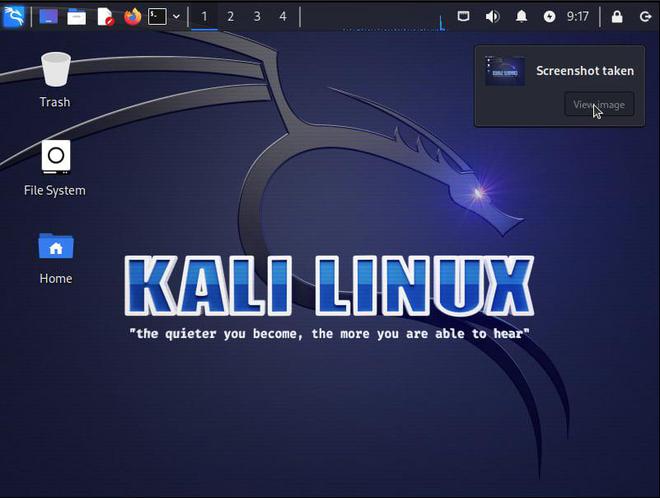
The default Kali Linux desktop environment organizes tools into logical, step-by-step categories mirroring standard penetration testing frameworks.
Navigating the Offensive Toolkit Categories
Once your Kali VM boots, focus on understanding the interface layout and tool grouping instead of executing arbitrary network commands. If you want to expand your technical skills, check out our baseline guide on global tech transformations to master computing trends cleanly. The operating system structures its applications based on the standard penetration testing lifecycle: information gathering, vulnerability analysis, web application assessment, and database assessment.
3. Traffic Sniffing: How to Use Wireshark Legally
Deep security analysis requires clear visibility into local network communications. Understanding how to use wireshark legally forms a core skill for defense engineers, network administrators, and system analysts alike. Wireshark functions as an interactive packet sniffing utility, converting raw binary network transmissions traveling across network interfaces into human-readable data frames sorted by protocol layers.
The primary legal constraint of network packet sniffing centers on data ownership, privacy expectations, and user consent. Capturing data packets flowing over networks you do not own, or where you lack explicit administrative rights to intercept traffic, constitutes unauthorized wiretapping in many jurisdictions. By following this Beginner’s Guide to Legal Ethical Hacking Tools at Home, you restrict your analysis entirely to sandboxed interfaces that you own completely.
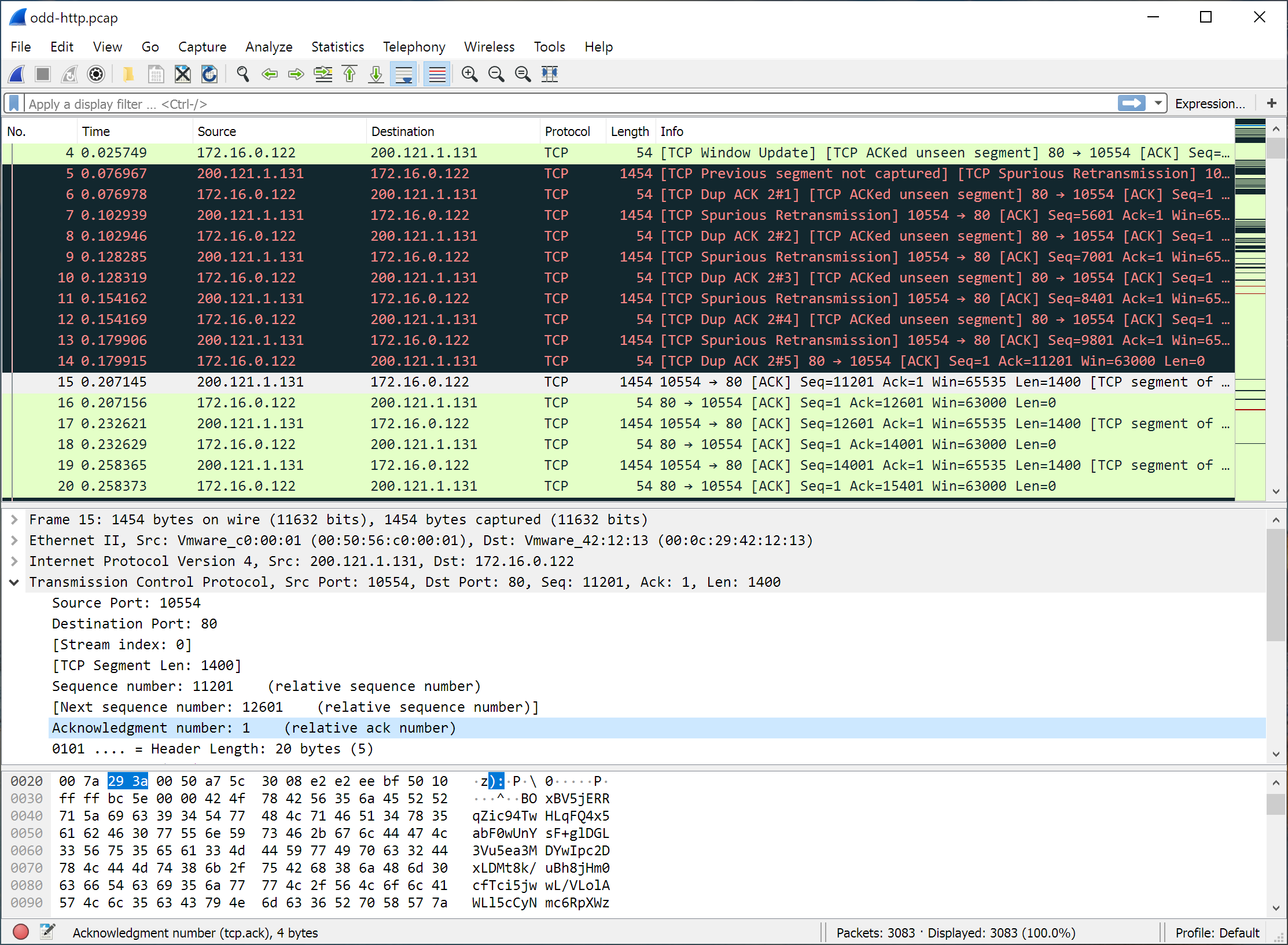
Wireshark organizes intercepted packets into a three-pane layout for structural protocol analysis and hexadecimal verification.
Executing Legal Packet Captures at Home
To guarantee your Wireshark analysis remains fully compliant with privacy standards and avoids capturing sensitive household web traffic, utilize these specific approaches inside your home lab ecosystem:
- Capture Your Own Host Loopback Adapter: Bind Wireshark exclusively to your computer’s local loopback interface or the internal virtual switch communicating with your testing targets. This ensures no external wireless transmissions are recorded.
- Analyze Pre-Recorded PCAP Files: You do not need live network connections to master protocol decoding. Download public, unclassified Wireshark Sample Captures containing pre-recorded scenarios of complex malware traffic, routing loops, and credential leaks.
- Isolate Browser Audits via Sandboxed Target Apps: Run a capture while navigating a self-hosted target application like OWASP Juice Shop to observe how unencrypted HTTP transmissions display sensitive fields like passwords in plain text format.
4. Network Auditing: Scanning Safely with Nmap
Before any defensive security patch can be deployed or an entry point addressed, you must chart the active architecture of your running systems. Nmap (Network Mapper) stands as the industry-standard command line utility for port evaluation and host discovery. It operates by sending custom-crafted network packets and interpreting the response statuses returned by the destination firewalls and operating system network stacks.
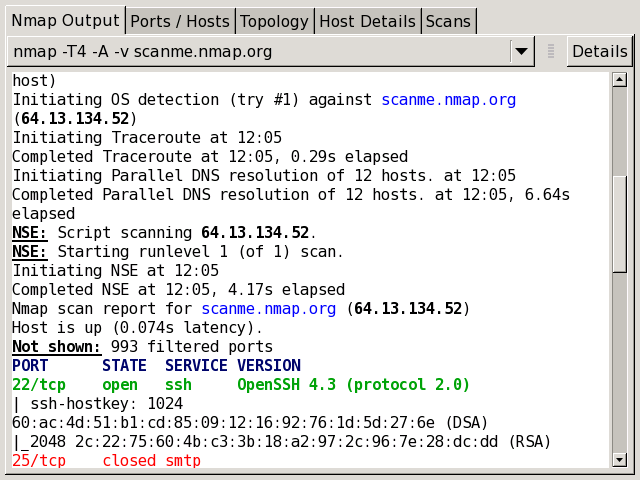
An Nmap port validation sweep reveals active listener channels and details about the running host operating systems.
While basic ping sweeps might seem harmless, running aggressive port scans against external public web servers can easily trigger automated intrusion detection systems (IDS). For a deeper understanding of target architecture profiles, read our strategic breakdown on modern hardware optimization paradigms. To keep your practical studies completely secure and true to this Beginner’s Guide to Legal Ethical Hacking Tools at Home, restrict your execution targets to the internal IP range allocated to your sandboxed virtual machine platform.
Essential Nmap Command Combinations for Home Labs
When interacting with the Nmap terminal, changing your flags alters how aggressively the tool queries the target system. Practice the following commands within your host-only virtual network layout to observe how the target responds:
- The Basic Ping Sweep (
nmap -sn 192.168.56.0/24): This query tells Nmap to discover live hosts on the virtual subnet without scanning individual ports. - The Standard Port Scan (
nmap 192.168.56.101): Scans the top 1,000 most common network ports on the target machine to see which services are listening for incoming connections. - Service Version Detection (
nmap -sV 192.168.56.101): Instructs Nmap to probe open ports to determine the exact software name and version number running on them.
5. Application Layer: Proxying with Burp Suite
Most modern security challenges exist at the application layer—the websites and web-based tools we use every day. Burp Suite Community Edition is the primary tool used by professionals to test web applications. It functions as an intercepting proxy that sits between your local web browser and your target web application server. This alignment is highly useful when exploring this Beginner’s Guide to Legal Ethical Hacking Tools at Home, allowing you to see backend traffic before it processes.
When you type data into a web page and hit submit, Burp Suite catches that message mid-flight. This allows you to inspect, modify, or replay the raw text data before it ever reaches the server, letting you test how the application handles unexpected inputs. To explore the industry parameters around web app firewalls, you can reference the official OWASP Core Security Standards data index.
6. Verification: Exploitation and Password Auditing Basics
Once you have mapped your network and analyzed local web traffic, you can look at the deeper layers of security verification. This involves assessing structural system weaknesses through automated frameworks and verifying password strength using local auditing utilities.
The Metasploit Framework (MSF)
Metasploit is the world’s most widely used penetration testing framework. It houses an organized database of known, documented code flaws alongside specific execution modules called exploits. Inside your home lab, Metasploit interfaces perfectly with deliberately insecure environments like Metasploitable3, keeping your educational track completely true to a Beginner’s Guide to Legal Ethical Hacking Tools at Home baseline.
Offline Password Cracking with John the Ripper
Password security is another core tenet of infrastructure defense. John the Ripper is a high-speed offline password auditing tool built directly into Kali Linux. Rather than guessing passwords over a live network connection, John the Ripper works completely offline against encrypted password hashes. For more on credential defense parameters, consult our detailed analysis of identity management protocols.
7. Hands-on Blueprint: Practical Home Lab Projects
Theoretical knowledge can only take you so far. To solidify your technical skill set, work through structural lab configurations that simulate standard corporate architecture inside a controlled, isolated setting.
Project 1: Analyzing Cleartext vs. Encrypted Protocols
This hands-on lab lets you see exactly why modern web encryption is so vital by comparing protected and unprotected network traffic side by side.
- Boot your attacking instance alongside a virtual web application server running an unencrypted login portal.
- Initiate a packet capture on your virtual host-only network interface using Wireshark.
- Open your browser, navigate to the local unencrypted login web form, and submit dummy administrative credentials (e.g., admin / Password123).
- Stop the live data capture and filter the results by typing
http.request.method == "POST"into the Wireshark filter console. - Right-click the filtered request frame, select Follow -> TCP Stream, and inspect the resulting text block. Notice how the user credentials display in completely clear text format.
Safety Enforcement Standard:
Never run automated exploit scripts, password brute-forcing utilities, or vulnerability scanning suites against production machinery or environments where you do not possess written authorization. Always limit your execution testing to your isolated VM laboratory.
8. Summary: Reviewing the Beginner’s Guide to Legal Ethical Hacking Tools at Home
Mastering these command-line interfaces, diagnostic platforms, and defensive validation methods opens the door to structured corporate engineering career paths. Aspiring professionals frequently pursue formal cybersecurity tracks—such as the CompTIA Security+ blueprint or advanced technical testing disciplines—to validate their administrative talents, system insights, and architectural knowledge.
By keeping your early exploration centered on structured, self-contained labs and authorized web platforms as guided by this Beginner’s Guide to Legal Ethical Hacking Tools at Home roadmap, you protect your legal standing while gaining genuine engineering insights into modern infrastructure defense.