
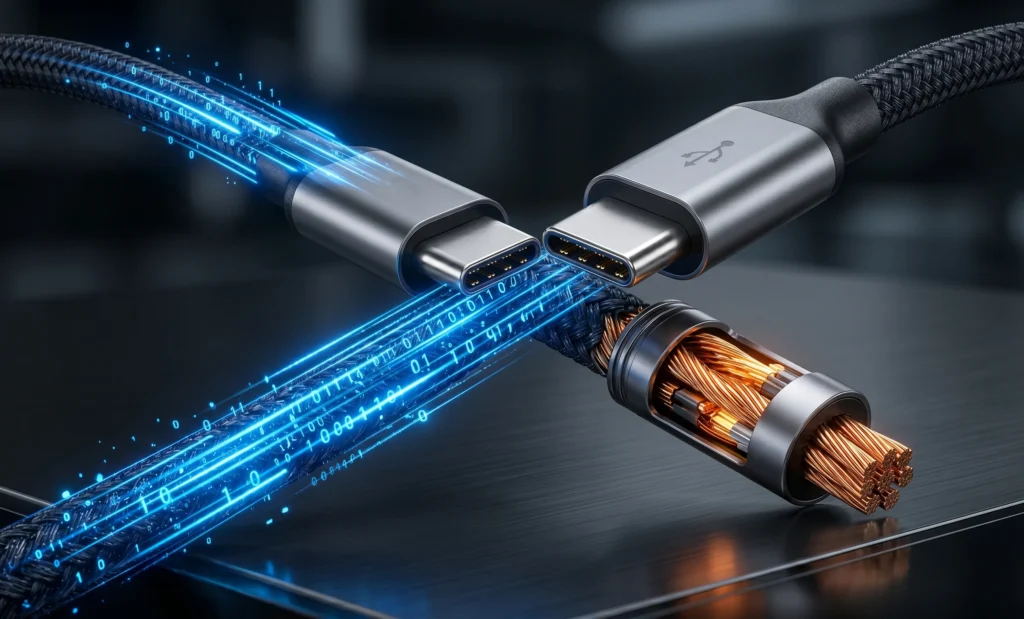
When evaluating the structural layout of usb-c vs thunderbolt architectures, the modern computing workspace is currently paralyzed by a deceptive paradox: every single cable on your desk looks exactly the same, yet their internal performance profiles are worlds apart. only to watch their display remain blank or their file transfer rates crawl at legacy speeds. Navigating the chaotic interface matrix of usb c vs thunderbolt requires abandoning marketing taglines and looking strictly at signaling protocols. As the industry transitions into next-generation high-bandwidth hardware, the question of what cable do i need shifts from a minor tech annoyance into a critical infrastructure decision. With the official rollout of Intel’s latest connectivity standard, understanding how thunderbolt 5 speed limits redefine data transport boundaries is the only way to build a stable, future-proof peripheral pipeline.
This systemic confusion is not an accidental byproduct of consumer technology scaling; it is a structural side effect of an industry-wide prioritization of universal physical form factors over protocol standardization. For decades, consumers associated distinct hardware capabilities with distinct physical shapes—VGA, HDMI, DisplayPort, and Type-A ports each told the user exactly what device could connect where. The unification of these disparate data pipelines into a singular, flippable 24-pin interface brought undeniable physical simplicity to laptop chassis engineering, but it completely obscured the underlying signal layers. A single physical USB-C port on a modern notebook could be wired to a legacy controller limited to sluggish USB 2.0 data rates, or it could be backed by a top-tier bus layout routing high-speed controller logic.
To build an optimized hardware perimeter, we must look past the superficial outer design elements and focus heavily on data encapsulation rules, kernel-level bus assignments, and signaling physics. Choosing the wrong peripheral bridge doesn’t just limit your transfer speeds; it introduces severe signal reflection issues, increases system-wide latency, causes packet drops during high-speed data exchanges, and bottlenecks external graphics hardware. This comprehensive reference post aims to dismantle the structural complexities governing modern Type-C ports, explain the signaling physics underlying the latest specifications, map out exact port layouts across current laptop architectures, and guide you toward selecting the exact hardware interfaces required for your specific workflows.
📊 Quick Reference: The Data Signaling Hierarchy
A quick baseline of peak theoretical bandwidth thresholds across common protocols using the Type-C form factor.
| Protocol Standard | Max Bidirectional Speed | Asymmetric Boost Capacity |
|---|---|---|
| USB 3.2 Gen 2×2 | 20 Gbps | Not Supported |
| Thunderbolt 4 / USB4 Gen 3 | 40 Gbps | Not Supported |
| USB4 Version 2.0 | 80 Gbps | Up to 120 Gbps |
| Thunderbolt 5 (Intel Certified) | 80 Gbps | Up to 120 Gbps (Mandatory) |
The Core Distinction: USB-C vs Thunderbolt Protocols
The absolute first step to resolving interface confusion is establishing a rigid line between the physical interface tool and the digital communications architecture. When discussing USB-C vs Thunderbolt, you are fundamentally comparing a structural container against a network transport standard. USB-C is a physical 24-pin connection matrix governed by specifications managed by the USB Implementers Forum (USB-IF). This definition describes nothing more than the physical parameters of the port: the dimensions of the metal shield, the layout of the internal copper traces, and the mechanical alignment of the spring contacts.
Thunderbolt, by contrast, is an elite data encapsulation protocol co-developed by Intel and Apple. It defines how data packets from distinct pipelines—specifically PCI Express (PCIe) for mass storage and graphics engines, and DisplayPort for high-resolution video streams—are compressed, labeled, synchronized, and driven over a shared hardware bus. The genius, and subsequent consumer frustration, of modern hardware design is that Intel chose to stop using its legacy Mini DisplayPort connector shape and began driving its advanced signaling protocol straight down the standard physical USB-C layout.
Because of this overlap, every single functional Thunderbolt port on a modern computer is a physical USB-C container, but the overwhelming majority of standard USB-C ports scattered across consumer products lack the advanced silicon switches, physical line drivers, and validation metrics required to handle Thunderbolt signals. If you attach a basic storage hub to a baseline Type-C port on a cheap desktop motherboard, the operating system bypasses complex protocol encapsulation completely, defaulting down to standard USB data pipelines.
For professionals deploying centralized localized network configurations or configuring high-speed input/output layouts, a standard port often fails to deliver the required underlying pathing. If you are building a custom storage node or mapping local data loops, matching system requirements to actual bus lanes prevents sudden connection degradation. For an in-depth operational blueprint on engineering optimized, budget-friendly high-throughput storage networks directly at home, see our deep-dive analysis on assembling a high-performance home server build under $300.
The Physics of Speed: Inside the Thunderbolt 5 Architecture
Evaluating the monumental leap represented by the latest connectivity standard requires examining the underlying physical layout of signaling. For years, Thunderbolt 3, Thunderbolt 4, and the initial iteration of USB4 maxed out at a theoretical bidirectional threshold of 40 Gbps. This limit was imposed by the physical characteristics of Non-Return-to-Zero (NRZ) signal structures. NRZ transmits a solitary bit of information per individual clock cycle by shifting electrical voltage between two simple parameters: a binary 0 and a binary 1. To push past this 40 Gbps limit using NRZ, engineers would have been forced to double the base operating frequency of the controller chips, a modification that introduces immense thermal generation, severe radio frequency interference, and massive signal attenuation over standard lengths.
The core upgrade behind thunderbolt 5 speed scaling is the total replacement of NRZ signaling with Pulse Amplitude Modulation 3-Level (PAM3) signaling technology, an architectural framework co-opted from high-end enterprise networking hardware. Instead of alternating between two basic voltage fields, PAM3 utilizes a complex three-tier electrical voltage matrix consisting of -1, 0, and +1 states. This enables the controller chip to compile and broadcast two independent data bits across every single pair of signal transitions. By packing significantly more information into the identical clock window, the interface achieves a massive 2x expansion in native data throughput—hitting 80 Gbps of bidirectional bandwidth—without requiring exotic motherboard traces or causing catastrophic thermal degradation.
SIGNALING ARCHITECTURE: NRZ VS. PAM3
2 Voltage Levels [Low / High]
Transmits: 1 Bit per Cycle
3 Voltage Levels [-1 / 0 / +1]
Transmits: 1.58x More Data per Cycle
Figure 1: How multi-level pulse amplitude modulation bypasses traditional copper frequency bottlenecks.
The functional enhancements unlocked by this modulation shift go far beyond basic bandwidth metrics. The internal PCI Express data tunneling layer has been upgraded from PCIe Gen 3 logic up to standard PCIe Gen 4 x4 configurations. This means that instead of encountering the rigid 32 Gbps data throughput bottleneck found on older stations, external devices can directly leverage up to 64 Gbps of raw, unencapsulated system bus accessibility. This creates a highly optimized connection layer for peripheral expansion hardware, specialized compute modules, and low-latency storage structures that interface directly with your physical operating system layout.
The Asymmetric Pivot: Demystifying the 120 Gbps Bandwidth Boost
While the standard operational state of the new interface provides an evenly divided 80 Gbps link downstream (transmit) and 80 Gbps upstream (receive), the protocol introduces an advanced dynamic optimization routine known as Bandwidth Boost. This structural mechanism addresses a recurring challenge in creative and production environments: video pipelines are fundamentally one-way, asymmetrical traffic flows that quickly saturate standard, balanced data connections. When you drive massive monitor arrays, you consume massive downstream pipelines while leaving the upstream pathways completely empty.
When the onboard host controller identifies a high-volume display requirement—such as driving multiple 8K panels or an array of high-refresh esports displays—it actively triggers a process called asymmetric lane rebalancing. The physical link consists of four primary high-speed data pathways. In standard mode, these function as two transmit lanes and two receive lanes. Under Bandwidth Boost conditions, the controller reconfigures the physical silicon layer, converting one of the receive pathways into an outbound transmit lane.
This rebalancing shifts the operational limits into an asymmetric layout:
- Downstream Transmit Bandwidth: Escalates to a peak structural limit of 120 Gbps, providing three times the total video throughput capacity of previous-generation hardware.
- Upstream Receive Bandwidth: Automatically steps down to 40 Gbps, a legacy threshold that remains completely sufficient for handling simultaneous input from high-speed storage drives, audio interfaces, and standard desktop control surfaces.
This dynamic redistribution happens entirely within the hardware layer, requiring no user-facing software configuration or operating system manual overrides. This level of optimization makes the standard an indispensable asset for heavy content creation setups, rendering systems, and advanced programmatic workspaces. To understand how these intense high-bandwidth display paths interface with real-time computational data allocations and specialized modern workflows, you can browse our technical analysis of system resource allocation models over in our specialized AI digital systems workspace.
The Master Reference: Laptop Port Identification Matrix
Because laptop manufacturers are not legally forced to label every Type-C port on their machine with clear text indicators, using physical port properties to identify technical capabilities is mandatory. Use this standardized matrix to decode the hardware limits of your host system’s existing port layout:
| Port Standard | Chassis Icon Logo | Max Data Speed | Mandatory Minimums |
|---|---|---|---|
| USB 3.2 Gen 2×1 | “SS 10” Logo Only | 10 Gbps | No video requirement, charging optional, zero PCIe tunneling logic. |
| USB4 Version 1.0 | Stylized “40” Graphic | 40 Gbps | Requires single 4K monitor support; PCIe data tunneling is optional for vendors. |
| Thunderbolt 4 | Lightning Bolt + “4” | 40 Gbps | Mandatory dual 4K @ 60Hz or single 8K; guaranteed 32 Gbps PCIe tunneling limits. |
| Thunderbolt 5 | Lightning Bolt + “5” | 80 to 120 Gbps | Mandatory triple 4K @ 144Hz; 64 Gbps PCIe Gen 4 data paths; up to 240W Power Input. |
If you find a completely blank Type-C layout on your notebook with zero print markings, you must look up your explicit CPU platform specs inside the system hardware controller table. On Intel Core Ultra and high-end Apple silicon architectures, these full-featured buses are typically integrated directly into the main silicon package to provide short routing lengths and clean communication boundaries. If you are tracking or evaluating standalone hardware host items, desktop expansion cards, or individual peripheral systems to ensure complete integration, check out our curated tech roundups inside the Gadgets Core Hub.
Cable Diagnostics: What Cable Do I Need to Buy?
The physical connection point represents the primary structural failure zone for almost all high-speed data connections. When addressing the user challenge of what cable do i need, the baseline rule is clear: *you can never verify the capabilities of a Type-C cable by inspecting its thickness or looking at its outer plastic coating.* To resolve this issue cleanly, you must evaluate cables based on two hidden specifications: active signal modification logic and e-marker validation architecture.
High-frequency data signals traveling over raw copper suffer from immediate degradation caused by line attenuation and insertion loss. For short-distance connections—specifically cables measuring 1 meter (3.3 feet) or less—a **passive cable** setup is completely acceptable. These passive designs route high-speed signals straight down copper lines without modification. However, if your workstation layout requires extending past 1 meter, buying a passive cord will cause immediate signal breakdown, forcing the link controller to down-negotiate the entire path to legacy USB 2.0 speeds. Long-distance deployments require an **active cable**, which integrates small signal-boosting transceivers straight inside the connector housings on both ends to rebuild the data waves mid-transit.

Figure 2: Identifying verified electronic markings and internal e-marker chips inside premium connection cords.
Furthermore, every single connection component capable of delivering high wattage or data speeds over 20 Gbps is required to contain an internal **E-Marker chip** cast into its overmolding. This microscopic micro-controller serves as an identity validation layer. When you connect a laptop to a high-speed dock, the host device executes an initial communication exchange with the cable’s e-marker chip over dedicated configuration channels. The cable transmits an authenticated payload verifying its exact length, electrical impedance limits, alternative routing support permissions, and its power delivery limits.
Under the **Extended Power Range (EPR)** guidelines introduced in modern Power Delivery 3.1 standards, certified hardware can clear up to 5 Amps at 48 Volts to drive up to **240W of power** down a single connection interface. If you link a high-power system to an unverified cable that lacks a valid, certified E-marker registration token, the safety logic embedded within your laptop’s controller will clamp the electrical intake down to a baseline 60W or kill the data pipeline completely to protect internal traces from melting. This is why using cheap, unbranded charging cords for high-throughput display links is completely unviable.
📺 Deep Engineering Review: Intel Unveils Thunderbolt 5 Capabilities
Extreme Target Workloads: Who Gains Most from Next-Gen Bandwidth?
For basic everyday office production—such as running text editors, managing browser sheets, or sorting communication software—the massive data overhead unlocked by next-generation connectivity standards remains largely unused. Standard web protocols rarely saturate a foundational 10 Gbps pipeline. However, if your daily operations require managing raw hardware layers or moving massive datasets, the elimination of previous bus limits alters your production timeline completely.
The primary operational zone that benefits immediately from the removal of data bottlenecks is external storage arrays and high-speed NVMe scratch disks. Production professionals capturing high-bitrate multi-camera footage require direct, uncompressed read and write pathways to external storage media. Moving a massive 500GB project file over standard interfaces usually requires minutes of unproductive system downtime; under full-speed protocol implementations, that transfer clears in seconds. For deep, objective evaluations, real-world laboratory benchmark testing, and hands-on performance analysis of verified top-tier hardware docks and high-speed storage accessories, explore our deep-dive writeups in the Technical Reviews Database.
“Engineering an integrated peripheral configuration is a balancing act between interface latency and physical protocol constraints. If your architecture relies on optional hardware standards, you remain completely vulnerable to unpredictable system performance changes during maximum workloads.”
The second major breakthrough is the complete revival of high-performance External Graphics Processing Units (eGPUs). Under older standards, desktop graphics cards installed inside external port enclosures suffered from immense performance loss because the underlying data pipeline was choked by an old PCIe Gen 3 bottleneck. By integrating direct PCIe Gen 4 x4 lane structures, the data highway between the laptop’s CPU and the external graphics silicon is effectively doubled. This allows professional designers, 3D artists, and gaming enthusiasts to connect a slim laptop to a massive desktop graphics stack with zero structural performance drops.
The Compatibility Matrix: What Connects with What?
Intel’s validation standards require comprehensive backward and forward compatibility across the entire device ecosystem, but it is critical to recognize that *compatibility does not mean performance parity.* When you link devices from different protocol generations, the connection logic automatically down-negotiates the entire link speed to match the oldest or weakest hardware component in the line.
Let’s look at exactly how different device cross-connections behave under load:
- Thunderbolt 5 Laptop + Thunderbolt 5 Docking Hub: Unlocks full operational capabilities. You gain the comprehensive 80 Gbps bidirectional link, the automatic 120 Gbps Bandwidth Boost, multi-stream 8K video output configurations, and full PCIe Gen 4 data speeds across all down-stream peripheral attachments.
- Thunderbolt 5 Laptop + Thunderbolt 4 Docking Hub: The link caps out strictly at legacy parameters. The connection drops back down to a balanced 40 Gbps limit, restricts internal data pathways to PCIe Gen 3 logic rules, and limits video capabilities to dual 4K layouts.
- Thunderbolt 4 Laptop + Thunderbolt 5 Docking Hub: The legacy host processor cannot read next-generation PAM3 signaling logic. The advanced docking station shifts its system profile back, running purely as a traditional 40 Gbps device matching standard operational parameters.
- Standard USB-C Host Laptop + Thunderbolt 5 Accessory: The interface drops back to standard baseline compatibility rules. The connection defaults down to standard USB 3.2 or fallback USB 2.0 speeds depending on the exact chip configuration present on the motherboard port.
As detailed documentation on enterprise platform integration from primary industry maintainers like Intel Corporation repeatedly demonstrates, securing an absolute performance guarantee requires verifying that every single segment of your hardware loop matches full certification parameters. If a single unverified hub or passive line adapter is added to the link, the communication controller drops the entire line down to safe operational minimums to ensure electrical safety. Stop depending on randomized accessory choices, inspect your laptop’s integrated controller profiles, audit your peripheral wiring setups regularly, and keep your structural data loops operating at maximum efficiency.