
Published: June 5, 2026 |
Category: Advanced DevOps & Infrastructure |
Reading Time: 12 mins
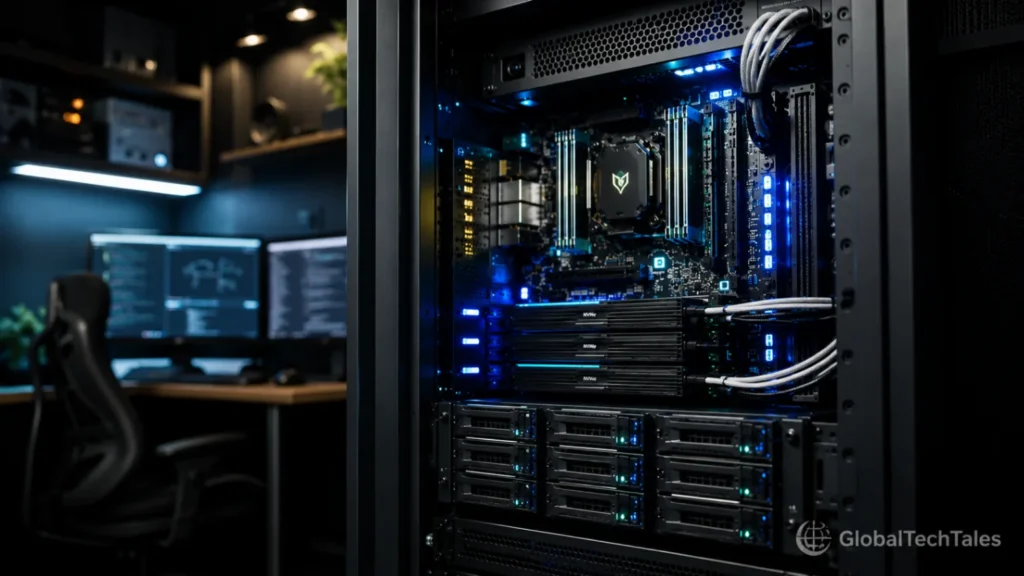
The modern data ecosystem is experiencing a silent crisis of digital sovereignty. For years, developers, system administrators, and tech-savvy professionals have outsourced their computing infrastructure to public cloud monopolies under the guise of convenience. However, growing concerns over server-side telemetry, shifting privacy policies, and erratic infrastructure stabilities are driving a massive migration back to local setups. Deploying a custom privacy first home server build is no longer an eccentric hobbyist weekend project—it is a critical necessity for professionals who refuse to let corporate web crawlers index their personal code repositories, proprietary data layers, and sensitive local media pools.
“If you do not own the physical silicon your data sits on, your digital privacy is merely a temporary permission slip issued by a third-party corporation.”
The Single Point of Failure: Technical Lessons from the June 2026 Claude AI Infrastructure Collapse
The danger of absolute reliance on centralized cloud vendors became undeniable on June 5, 2026, when Anthropic’s flagship Claude AI API infrastructure suffered a catastrophic global outage. For several chaotic hours, automated production code engines, local development environments, and critical workflow loops worldwide ground to a complete halt as server error rates spiked exponentially.
This massive network failure exposed the fragile structural dependencies of modern web architectures. Tech stacks that depended entirely on external APIs were completely paralyzed, highlighting the vulnerability of single-vendor models. By engineering a reliable privacy first home server build, you break free from these single points of failure. Transitioning core tasks to a self-managed local layer ensures your internal code suites and staging sandboxes remain fully functional, even when major global cloud nodes crash.
Choosing the Best Hardware for Local Cloud Storage Without Bandwidth Chokepoints
Assembling a secure local storage array requires a deliberate approach to component selection. Many first-time builders mistakenly repurpose outdated consumer laptops or low-power single-board computers, only to face severe data bottlenecks under heavy, concurrent usage workloads. True optimization demands hardware that balance steady thermal efficiency with sufficient data throughput capacity. If you want to take your data sovereignty a step further, you can also set up a local AI agent home server to process documents and automate routines without sending prompt data to commercial cloud APIs.
Navigating the PCIe Bus Lanes Home Server Bottleneck
The most common architectural oversight in private deployments is running into the dreaded PCIe bus lanes home server bottleneck. Modern high-speed NVMe storage drives and multi-gigabit network interface cards (NICs) require dedicated data lanes wired directly to the CPU processor. Consumer motherboards (such as budget B650 or B760 chipsets) offer a limited number of direct CPU lanes, routing the remaining slots through the shared motherboard chipset link.
When your system runs simultaneous tasks—like executing an automated ZFS scrub while streaming a 4K ProRes media file over the local loop—data traffic backs up at the chipset interface. This creates significant read/write latency spikes and slows your system to a crawl. To avoid these limitations, look for enterprise-grade hardware options, such as refurbished AMD EPYC or Intel Xeon workstations. These platforms supply ample PCIe lanes directly to your expansion slots, keeping your storage pipelines completely clear.
💾 Hardware Bus Lane Layout Infographic
NVMe Array → CPU Gen 5 Lanes
⚡ Zero Latency Lag
SATA HBA → Chipset Link
⚠️ Bandwidth Bottleneck
When mapping out your high-speed physical connections, remember that internal bus structures are only one part of the performance equation. The external cables you use to bridge your local developer arrays to external expansion chassis dictate your ultimate network throughput. To understand how interface choices impact local transfer velocities, explore our comprehensive technical guide detailing USB-C vs Thunderbolt cable standards to eliminate interface chokepoints.
Silicon Deep-Dive: Core vs. Compute Density
Beyond the bus lane architecture, selecting the underlying silicon requires balancing your expected thermal envelope with computation scaling requirements. Consumer processors optimize heavily for burst performance, using a mix of performance and efficiency cores that rely on aggressive power management frameworks. Under sustained storage workloads, such as running distributed Docker nodes or compilation sequences, these consumer chips generate massive thermal heat, forcing the motherboard to throttle clock cycles.
Enterprise silicon handles data loops differently. Server chips utilize uniform architectures configured to execute continuous parallel tasks without entering aggressive thermal degradation cycles. Furthermore, server processors support Error-Correcting Code (ECC) memory architectures, which isolate electrical interference and correct micro-level data flips inside the system RAM before they damage your underlying operating system arrays.
Top Self Hosted Cloud Storage Alternative Software Deployments
Once you verify that your physical hardware pathing is free of throughput bottlenecks, you must select an operating system framework capable of secure, efficient file management. Rather than layering file-sharing scripts on top of a standard consumer OS, deploy an open-source, bare-metal hypervisor layer to isolate your storage environments cleanly.
| Platform Engine | Primary File System | Ideal Deployment Context | Resource Overhead |
|---|---|---|---|
| TrueNAS Scale | OpenZFS (ZFS) | Enterprise Storage, Automated Data Parity | High (ECC RAM Required) |
| Nextcloud Hub | ext4 / ZFS Layer | Drop-in Commercial Cloud Alternative | Moderate (PHP/Database Tied) |
| Proxmox VE | ZFS / Linux Directory | Virtual Machinery, Developer Sandboxing | Low (Bare-Metal Hypervisor) |
For individuals looking for a complete, production-ready self hosted cloud storage alternative, combining TrueNAS Scale with OpenZFS provides unmatched file protection. This ecosystem protects your system from silent data corruption by calculating real-time cryptographic checksums across your entire array, ensuring your files remain secure and uncorrupted over years of operation.
For a detailed breakdown of how third-party vendors charge for managed hosting space compared to the long-term operational costs of running your own hardware, review our deep dive into Google Drive Pricing structures to map out your long-term budget projections.
Storage Pool Architecture: ZFS Drive Geometry Selection
Deploying an OpenZFS file system requires deciding how to organize your hard drives into Virtual Devices (VDEVs). Many builders default to a standard striped mirror layout (similar to RAID 10) to optimize for absolute write performance. While striped mirrors offer fast rebuild times, they reduce your usable storage space by 50% and do not protect your system if both drives within a single mirror set fail simultaneously.
For a reliable balance of storage efficiency and data protection, look into a RAIDZ2 storage geometry. A RAIDZ2 layout requires a minimum of four drives and distributes two separate blocks of parity data across every disk in the cluster. This allows the storage node to survive the complete mechanical failure of two drives at the exact same time without dropping the main files offline or corrupting your directories. While RAIDZ2 demands more processing power to calculate parity during write operations, enterprise server chips handle these calculations easily without performance lags.
Containerized Infrastructure: Setting Up a Resilient Virtual Layer
Once your file system geometry is configured, managing applications requires isolation barriers. Running programs natively on your bare-metal storage OS creates deep software dependency conflicts. If an application updates its underlying libraries incorrectly, it can bring down network file daemons and crash the host machine.
Deploying containerized environments via Docker or Linux Containers (LXC) prevents runtime configuration errors from spreading. Each application operates within an independent filesystem workspace, using strict resource limits enforced by the Linux kernel. This architectural separation guarantees that if an instance of a development container experiences high execution errors or crashes, your underlying core data arrays remain completely isolated and unharmed.
Isolating Persistent Application Volumes
When running database stacks or continuous orchestration configurations inside container structures, separating application logic from persistent database logs is vital. Containers are transient by nature; if an instance reboots or falls out of memory space, any data residing within its internal runtime layer is permanently lost. You must map out absolute folder paths on your persistent ZFS pools, mounting them into your container runtimes via custom orchestration scripts.
This design allows you to tear down, rebuild, or update software versions seamlessly without risking any underlying storage modifications. Furthermore, running system nodes via stateless execution workflows makes your entire ecosystem highly portable, allowing you to back up and restore application logic to alternative physical machines within minutes if your primary node encounters physical issues.
How to Secure Local Network Data Across Centralized Storage Loops
Deploying powerful enterprise hardware is meaningless if your network transport layer exposes unencrypted data packets across your home router switches. Configuring a privacy first home server build requires a zero-trust network layout to ensure data security.
Hardening Network Ingress and Firewall Policies
To effectively master how to secure local network data, start by segmenting your network topology. Isolate your server node onto its own Virtual Local Area Network (VLAN) to keep smart-home devices or guest connections completely separated from your critical files.
Next, deploy a local reverse proxy engine—such as Nginx Proxy Manager or Traefik—managed via an internal SSL/TLS layer. This ensures that every file transaction traveling across your internal access points is fully encrypted using HTTPS protocols, preventing any local sniffing attempts. For industry-standard guidelines on scanning your local networks for configuration vulnerabilities and open port risks, consult the Cybersecurity and Infrastructure Security Agency (CISA) directory to review foundational threat-mitigation frameworks.
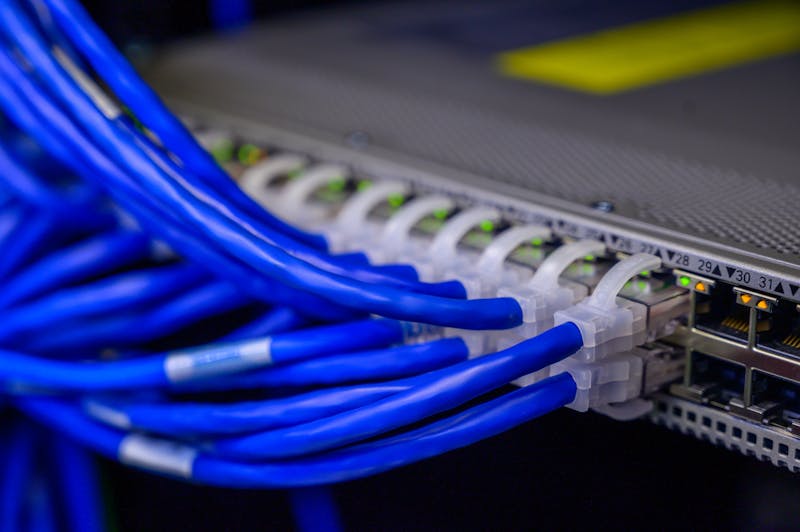
If you need to access your storage node while away from your local area network, do not open external traffic ports on your primary residential gateway router. Instead, build an encrypted overlay network path using open-source mesh VPN technologies like WireGuard or Tailscale. This approach allows you to access your files remotely through a secure, encrypted tunnel, completely hiding your infrastructure from public search engines and automated script scanners.
To learn more about tracking your external dependencies and securing local web application routes, check out our curated path of Cybersecurity and Dev Tutorials to systematically reinforce your internal systems against perimeter exploits.
Automated Disaster Recovery: Implementing Off-Site Encrypted Backups
A home data array is always exposed to physical environment risks, including sudden power grid failures, equipment damage, or site-wide incidents. Relying solely on local data redundancy (like a RAIDZ2 array) does not shield your data from physical destruction. True disaster resilience requires a strict 3-2-1 backup strategy: keeping three separate copies of your data, across two different media types, with at least one copy stored completely off-site.
To preserve your digital sovereignty without compromising privacy, your off-site backups must be cryptographically encrypted *before* they leave your physical machine. Using open-source utilities like Rclone or BorgBackup, you can configure scheduled system cron jobs that compress, sign, and securely transfer your files. These tools encrypt data chunks using strong AES-256 protocols before uploading them to decentralized object storage backends, ensuring no third-party platform can scan your private source directories.
Validating Replication Pipeline Integrity
Setting up backup automation is only useful if you regularly test data restoration paths. Many administrators configure upload scripts but fail to monitor logs, leaving them vulnerable to corrupted data sets during a recovery emergency. To prevent this, include automated validation loops within your system administration cron jobs.
Your scripts should regularly download random data blocks into an isolated sandbox environment, decrypting them to check file hashes against your primary pool signatures. This automated testing process guarantees that your data pipelines remain uncorrupted and ready for deployment at a moment’s notice.
Advanced Storage Optimization: Mitigating Latency with Tiered Cache Architectures
To extract maximum performance from your server hardware, implement a tiered storage architecture within your file system. A common performance bottleneck occurs when writing small, random files directly to mechanical hard drive pools. While mechanical drives offer excellent cost-per-gigabyte ratios for long-term archiving, their slower seek times struggle under intense, multi-user compile tasks.
You can resolve this performance issue by establishing a solid-state caching layout. Assign a high-end, high-endurance NVMe SSD to act as a dedicated write cache, often referred to as a Log Device (SLOG) or Write-Ahead Log in advanced systems. This layer intercepts incoming data streams instantly, confirms the write transaction to the operating system, and then systematically flushes the information down to your mechanical storage arrays during idle cycles. This tiered configuration gives you the best of both worlds: the massive storage space of traditional mechanical drives and the blazing-fast read/write speeds of flash storage.
Hardware Stress-Testing: Validating Long-Term Bare-Metal Stability
Before moving critical personal or enterprise data onto your storage hardware, you must run comprehensive stability and stress-testing diagnostics to identify potential point failures. Brand-new components can suffer from infant mortality bugs, where latent hardware tracking defects surface under sustained, heavy resource loads.
To prevent data loss down the line, isolate the storage node and run dedicated computational stress tools like Memtester for a minimum of 48 hours. This utility fills your RAM blocks with specific bit patterns and reads them back repeatedly, checking for structural instability or electrical leaks before you commit your file configurations to memory.
Benchmarking Storage Subsystems
Once your memory modules pass inspection, focus your diagnostic checks on your storage layout using standard Linux utilities like Flexible I/O Tester (fio). Running continuous random read/write cycles tests your system’s limits, ensuring your array handles high IOPS demands without dropping drives or hitting controller overheating thresholds.
Monitoring these performance benchmarks helps you confirm your cooling and power layouts are solid. Identifying limitations during testing lets you adjust configurations before deploying your array into daily production workloads.
Step-by-Step System Deployment Checklist
Before making your new server node accessible across your local environment, run through this comprehensive operational deployment checklist to ensure total technical readiness:
- Isolate Boot Pools: Verify that your server’s operating system runs on an independent flash media module, keeping your primary ZFS or ext4 data arrays completely clear for data traffic.
- Assign Static Local IPs: Configure an explicit DHCP reservation inside your router dashboard to prevent your server from changing local network locations during reboot sequences.
- Verify Automated Snapshots: Set up an immutable snapshot routine to back up your critical document paths every 12 hours, protecting your files from accidental deletion or hardware failure.
- Review Technical Documentation: Consult the official Linux Kernel Archives to ensure your network controller drivers are fully updated for optimal data throughput.
📋 Summary of System Prerequisites
Building a reliable local storage node requires balancing processing power with network data lanes. By avoiding shared chipset paths, configuring an isolated VLAN, and using a local reverse proxy with full HTTPS encryption, you can establish an independent, resilient digital space that guarantees absolute data security and performance for years to come.
For more insights on auditing your local file setups and resolving technical access issues on your network, read our guide on managing custom GlobalTechTales configurations to ensure your web pathways stay perfectly aligned with search engine guidelines.