Updated: June 7, 2026 |
Author: Anshuman Vikram Singh |
Reading Time: 18 minutes
Modern smartphone internal storage relies on high-density, multi-layer flash memory configurations that are directly soldered onto a compact logic board. When a device undergoes severe physical trauma, drops from extreme heights, or suffers full liquid submersion, your primary objective transitions from evaluating hardware replacement logistics to identifying a safe mechanism to recover photos from broken phone storage blocks. The success of this extraction relies entirely on your understanding of modern mobile security architectures, hardware validation states, and power delivery rails. Unlike early flash storage layouts where memory chips functioned as open, unencrypted data repositories, modern smartphone environments implement strict hardware-level encryption gates. This means that data salvage is no longer a casual matter of moving files from one block to another. It requires establishing a valid cryptographic handshake between the central processor and the hardware security enclave. If the underlying logic board cannot boot into a state where it can execute these decryption routines, raw data bits pulled directly from the storage array will remain completely unreadable.
The 2026 Mobile Storage Baseline:
Every modern smartphone utilizing file-based encryption binds individual file cryptographic keys to the physical silicon layers of the device’s System-on-Chip (SoC). Because these keys are managed at a deep hardware layer, standard physical bypass methods are obsolete. The device must be brought to a functional state where it can boot, initialize its core storage controllers, and process the user’s unlock token before file systems are decrypted.
The Cryptographic Barrier: Understanding File-Based Encryption (FBE)
To implement an effective android data recovery strategy, one must first dismantle the myth that flash storage can be read independently of its original motherboard. In past hardware cycles, Full-Disk Encryption treated the entire user data partition as a single encrypted block. Modern operating systems leverage File-Based Encryption, allowing different files to be encrypted with separate, independent keys. These keys can be unlocked independently, supporting targeted background features while maintaining protection for user directories. These keys are managed through specific software parameters outlined in the official Android Open Source Project Security Specifications.
When a phone initializes, the primary bootloader works in direct tandem with a dedicated hardware cryptographic module, known as KeyMint or a trusted Secure Element. This specialized hardware completely isolates the primary master decryption keys from the standard application processor layer. Consequently, if a phone suffers structural damage that cracks the logic board or isolates the power lanes feeding the secure enclave, the decryption keys become permanently inaccessible. Any attempt to desolder the storage module—a process historically known as chip-off recovery—and place it into an external flash programmer will yield nothing but scrambled data streams that cannot be decrypted by any modern computing array. For this reason, forensic extractions focus heavily on temporary hardware stabilization rather than raw component harvesting.
Phase 1 Diagnostics: Determining the Power and Logic State
When a device refuses to illuminate its panel or respond to standard user inputs, the diagnostic phase remains the most critical gatekeeper when trying to recover photos from broken phone motherboards. A device that appears completely inert may actually have an entirely functional logic core that is simply unable to communicate via visual indicators. Technicians look at precise power draw metrics to diagnose these underlying hardware states rather than guessing based on superficial body damage.
Amperage Profile Analysis
Connecting the damaged device to an inline USB power analyzer provides an immediate, non-invasive window into the internal state of the charging circuit and main power lines. Connect the device to a verified power source and monitor the current fluctuations closely:
- 0.00A to 0.05A (Zero Draw): This profile indicates a hard open circuit on the primary power line, a completely severed USB-C port pin, or a blown primary power management integrated circuit (PMIC). The core logic board is receiving no voltage, meaning data pathways are entirely offline.
- 0.10A to 0.45A (Stuck Low Draw): The device is receiving power but failing to initialize the primary boot loops. This behavior often points to a catastrophic hardware initialization failure, such as detached solder spheres under the main processor or corrupted bootloader code.
- 0.90A to 2.0A+ (Dynamic Fluctuating Draw): This is the ideal diagnostic baseline. A dynamic current draw that jumps between values indicates that the central processing unit is actively stepping through its boot sequence, initializing peripheral controllers, and loading the primary kernel into system memory.
If your device demonstrates a dynamic power draw, the core system-on-chip layer is fully functional. The lack of screen functionality is simply a peripheral failure, which makes it entirely feasible to recover photos from broken phone setups without performing an expensive, time-consuming structural screen replacement. If the hardware responds to computer connection signals, you can move immediately to direct input bypass methods.
Scenario A: Screen Destruction with Active System Logic
When a display panel is completely shattered, bleeding ink, or entirely dark, but the internal system exhibits vibration alerts, notification tones, or dynamic power draws, the file system remains locked behind the device’s secure access wall. Android security protocols mandate that the initial user authentication token must be entered before the data partition decrypts and exposes its file structure over a standard USB cable link.
The On-The-Go (OTG) Input Interface Hack
If your display panel remains crystal clear but the touchscreen layer is entirely unresponsive due to fractured digitizer columns, a physical USB mouse can be used to re-establish manual input control. This approach leverages the native USB host controller capabilities built directly into modern Type-C mobile architectures, bypassing the broken screen hardware smoothly.
- Procure a high-quality, unpowered USB-C to USB-A hardware adapter. Ensure that the connection lines conform to proper wiring layouts to prevent data dropouts.
- Connect a standard, low-draw wired USB computer mouse into the female port of the adapter interface.
- Insert the male Type-C connector firmly into the primary interface port of your damaged smartphone.
- Observe the display panel. Within three to five seconds, a traditional computer cursor will display over the lock screen workspace. Left-click and hold to drag the lock screen upward, then input your exact alphanumeric passcode or numeric PIN sequence cleanly.
This step-by-step external execution allows you to recover photos from broken phone architectures using standard computer mice. Once authenticated, the internal wireless antennas can be utilized to push local media directories directly to off-site cloud storage services or local network attached storage servers without interfacing with a desktop machine.
Blind Screen Navigation via DisplayPort Alternate Mode
If the display panel provides absolutely no visual illumination, entering a security PIN becomes an exercise in blind navigation. If the phone features a premium processing chip that supports standard desktop expansion modes over Type-C, you can split the video and input lines simultaneously using a multi-port expansion dock to mirror the workspace.
The Multi-Port Video Extraction Process:
1. Connect an unpowered USB-C multimedia hub containing at least one HDMI port and two USB Type-A inputs directly to the smartphone.
2. Run a high-speed HDMI cable from the hub interface to an external desktop monitor or television display panel.
3. Attach a wired USB keyboard and mouse combo into the auxiliary ports on the expansion hub.
4. Wait for the external monitor to sense the incoming video stream. Many leading mobile platforms will instantly project a desktop environment or a direct mirror of the phone’s primary lock screen onto the external monitor panel.
5. Use the connected keyboard to input your passcode sequence, pressing the ‘Enter’ key to complete the security challenge.
By executing this sequence, you can bypass uncooperative display screens entirely and recover photos from broken phone logic units via hardware casting. Once unlocked, users can navigate straight to system preferences, enable debugging modules, or plug an external flash drive into the remaining open slot on the USB hub to run a full physical folder backup. This process is incredibly efficient for salvaging large video folders and high-resolution camera archives before hardware stability declines.
Scenario B: Managing Water Damage and Fluid Intrusion
Liquid exposure is one of the most common causes of abrupt hardware failure. When a device drops into fresh water, salt water, or industrial chemical fluids, extracting water damaged phone data requires immediate, systematic physical and chemical stabilization. Attempting to power on or charge a damp device is the single most destructive action a user can take, as it causes rapid electrical shorts across critical component lines.
“The common advice to place a wet mobile phone inside a container of dry rice is a dangerous tech myth. Rice lacks the surface-area absorption velocity needed to pull moisture out of hidden sub-surface board layers. Instead, fine starch dust filters inside the phone housing, combining with water to create a destructive compound that accelerates corrosion across fine logic board traces.”
When dealing with fluid saturation, it is vital to understand how liquid accelerates circuit degradation if you intend to recover photos from broken phone components. Water itself doesn’t directly destroy unpowered silicon; rather, the microscopic minerals, salts, and acids dissolved within the fluid create conductive paths that link high-voltage power lines directly to low-voltage data inputs. This cross-voltage instantly destroys fragile logic gates. Furthermore, when current flows through a fluid-exposed circuit, an accelerated electrochemical process called electrolysis rapidly eats away copper traces and solder pads, as detailed in the USB Implementers Forum Interface Reliability Standards. This corrosion acts like wildfire beneath the surface-mounted electromagnetic shields, chewing through the component contacts long after the outside of the phone feels dry to the touch.
The Chemical Decontamination and Stabilization Protocol
Professional cleanroom technicians follow specific milestones to stabilize the motherboard layers and ensure you can recover photos from broken phone files safely. If you are handling emergency field stabilization, follow this exact physical framework:
| Phase | Physical Execution | Technical Justification |
|---|---|---|
| 1. Power Cut | Isolate the device from chargers and open the rear housing to physically disconnect the battery terminal. | Stops active electrical current from driving galvanic corrosion across vulnerable logic rails. |
| 2. Fluid Cleansing | Submerge the extracted logic board inside a bath of 99% electronic-grade anhydrous isopropyl alcohol (IPA). | Alcohol actively binds with residual water molecules, displacing them from beneath micro-BGA components. |
| 3. Mineral Stripping | Agitate the board inside an ultrasonic cleaning tank filled with specialized electronics solvent for 180 seconds. | High-frequency sound waves blast away corrosive salt bridges and green copper oxidation crusts under chip shields. |
| 4. Evaporation | Expose the clean board to a controlled warm-air convection stream at 60°C for approximately two hours. | Ensures all remaining chemical fluids evaporate completely, leaving no conductive residue behind. |
Once the logic board undergoes thorough decontamination, it can be temporarily connected to a functional display and a steady external power source. This enables technicians to bypass damaged power circuits and extract critical water damaged phone data before structural metal rot permanently weakens the circuit paths. This workflow avoids short-circuiting the memory banks, protecting your images from sudden over-voltage destruction.
Scenario C: Catastrophic Board Failure & Advanced Forensic Rework
When a phone experiences catastrophic structural destruction—such as getting crushed by heavy machinery or experiencing a severe electrical surge—the basic input interfaces and display workarounds become non-functional. In these edge cases, standard consumer-grade android data recovery workflows are completely ineffective. Safely accessing the underlying memory banks requires advanced micro-soldering, emergency download protocols, or complex board reconstruction techniques.
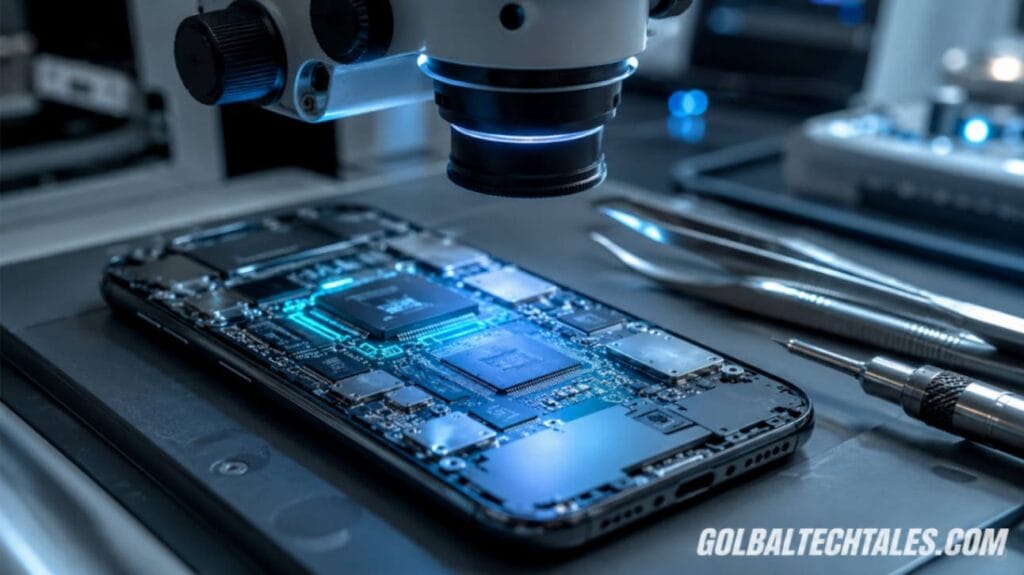
Donor board transplants represent the absolute physical threshold of what is possible to recover photos from broken phone platforms. If the primary circuit board is fractured but the critical system-on-chip and the primary encrypted storage module (typically a Universal Flash Storage or UFS chip) remain physically undamaged, technicians can move these core components onto an identical, fully functional donor board. This complex process demands steady, precision work under a high-power laboratory microscope to align hundreds of hair-thin connections perfectly.
The Emergency Download (EDL) Forensic Protocol
For Qualcomm-based chipsets, hardware specialists often avoid risky chip desoldering by forcing the device into Emergency Download Mode (EDL / Qualcomm 9008 mode). This protocol communicates directly with the Primary Boot Loader embedded in the CPU chip silicon before the main operating system runs:
- Hardware Pin Shorting: Technicians open the device frame to locate specific, microscopic test points on the logic board substrate. By shorting these precise test points together with fine tweezers during device initialization, they interrupt standard boot patterns and force the processor straight into EDL mode.
- The Firehose Interface: Once connected via a specialized engineering cable, forensic software uploads a tiny vendor-specific signed loader program, called a Firehose programmer, directly into the phone’s internal RAM.
- Forensic Bit-by-Bit Imaging: The Firehose protocol grants low-level commands to read the entire storage space block by block. This allows engineers to stream a complete data dump of the user partitions directly to an external computer system for analysis.
The Core Chip Transplant Workflow
If the underlying board substrate has snapped, cutting off the traces between the processor and storage chips, the hardware keys cannot communicate. Because modern security elements bind encryption algorithms to specific processor serial numbers, you cannot simply swap a memory chip onto a generic donor board and read it. The original storage element and the primary processor must remain paired together throughout the entire migration process:
- The technician secures the damaged logic board into a specialized thermal pre-heating fixture to gently bring the board substrate up to a stable base temperature of 150°C. This safely minimizes thermal shock to the delicate silicon layers.
- Using an adjustable hot-air rework tool set precisely to 360°C, the technician melts the underlying unleaded solder alloy spheres anchoring the UFS memory module, carefully lifting the chip away from the damaged substrate with precision tweezers.
- This identical, precision extraction process is repeated for the main application processor (SoC), as well as any dedicated secondary security chips that handle encryption tasks.
- The salvaged components are thoroughly cleaned to remove oxidized material, placed into a custom alignment matrix, and re-balled with fresh, highly reliable leaded solder spheres.
- The prepared chips are carefully aligned onto a verified, matching donor logic board and heated until the new solder spheres flow cleanly. This connects the original chips to the healthy donor circuit traces, restoring proper communication paths.
By tapping directly into these copper lines, hardware engineers can extract raw partitions to recover photos from broken phone units that were previously deemed unfixable. Once the transplant completes successfully, the donor board is connected to a standard testing fixture, allowing technicians to enter the user password and securely copy all local file directories onto external backup drives.
Checking Remote Storage Channels and Network Mirrors
Before commissioning an expensive physical board repair, it is critical to thoroughly check cloud synchronization mirrors. The simplest way to recover photos from broken phone files is by accessing automated network backups that often run quietly in the background without requiring manual intervention.
Checking your remote cloud drive is the absolute easiest path forward without using specialized gear. If your device was connected to a cellular link or an autowatched home Wi-Fi network while charging overnight, your latest media files may already be safely preserved in remote data centers. To verify if your files are intact, review these core system endpoints directly:
- Primary Photo Storage Indexes: Open a secure desktop web browser, navigate to your primary account console, and verify the time stamp of the last successful backup. Check both the primary media stream and the cloud archive folder layouts to see if recent media was uploaded.
- Messenger Media Directories: Popular communication apps often default to saving incoming images straight to their own independent cloud ecosystems. Log into these web interfaces from a computer to verify if your shared media history is safely preserved on their servers.
- Automated Ecosystem Backups: Device manufacturers maintain large cloud platforms that frequently save full device snapshots. These system images can be deployed to a replacement device to quickly pull your application data and media files forward.
When working with remote platforms during a hardware crisis, maintaining secure connections is vital to prevent unauthorized access. Refer to our detailed guide on network encryption layers to ensure your remote data requests remain secure. Furthermore, implementing reliable mobile identity verification frameworks protects your cloud archives, keeping them accessible only to verified users when physical validation methods fail.
Why Desktop Recovery Software Apps Can’t Penetrate Modern Encryption
The consumer software market contains many downloadable applications that promise instant, single-click data recovery for damaged or unresponsive mobile devices. While these software suites worked well on older storage layouts, they are fundamentally limited when facing modern, highly secure mobile operating systems. This structural shift explains why traditional software applications cannot recover photos from broken phone boards automatically.
In the past, legacy mobile devices used basic USB mass storage protocols, allowing computers to read the raw sectors of internal memory chips directly. Modern phones use Media Transfer Protocol (MTP), which acts as a strict security barrier. The computer never gets direct access to the raw storage sectors; instead, it must ask the phone’s operating system for files, and the operating system will refuse that request until the screen lock is unlocked. These protective walls are engineered to block hardware-level sniffing attacks, making consumer scanning tools completely ineffective against locked devices.
The Fallacy of the 1-Click Repair App:
If a third-party application claims it can pull deleted or hidden files from a modern, passcode-protected phone with a broken screen without any hardware modifications, it is likely using deceptive marketing. Without an active operating system core to handle data decryption, those tools are completely blocked by the phone’s native security hardware.
Therefore, successful data recovery requires physical hardware intervention. You must either repair the damaged board components to restore standard system functionality, or use specialized hardware interfaces to manually handle the encryption keys. Software utilities can only pull data after these primary hardware and cryptographic hurdles have been resolved.
The Definitive Smartphone Data Recovery Protocol
Use this definitive recovery roadmap to systematically audit your hardware status and recover photos from broken phone storage units. Following a structured diagnostic process prevents unnecessary, expensive repairs and helps you locate your data through the fastest, safest route possible.
First, always verify remote tracking logs and web dashboard entries to see if your automatic cloud configurations have already securely backed up your missing image sets. Second, check interface adapters using advanced hardware specifications, which you can read about in our high-speed data transmission standards, ensuring your data hubs match the device’s native data speeds for stable local transfers. Finally, if you are planning to adjust your site content structures or manage complex asset documentation maps for tech projects, utilizing our digital structure mapping models will help you organize your recovered information cleanly across modern production networks without sacrificing indexing performance.