Author: Anshuman Vikram Singh |
Reading Time: 22 Minutes |
Category: Self-Hosted Architecture & Private AI
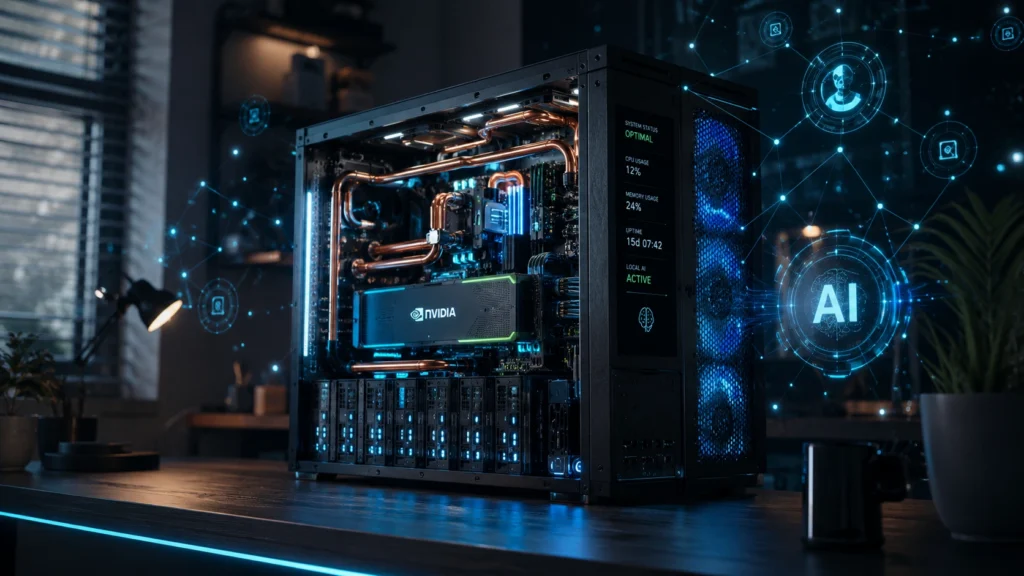
In 2026, relying on cloud-based artificial intelligence subscriptions means accepting continuous monetary drain, unexpected service throttling, and systematic data collection. As commercial AI providers ingest user chat histories, voice transcripts, and sensitive document context to refine proprietary models, privacy-conscious technologists are taking a drastically different path. Building a dedicated local AI agent home server empowers you to deploy autonomous 24/7 intelligence, process confidential files on air-gapped hardware, and control smart home infrastructure without paying a single dollar in monthly recurring subscriptions.
Whether you require an autonomous background researcher, a local coding co-pilot, or a privacy-focused neural engine integrated with Home Assistant, operating a private local AI agent home server yields absolute data sovereignty. You retain 100% ownership over your system telemetry, context windows, vector databases, and hardware resources. This comprehensive 2026 master guide delivers the technical blueprints, component matrices, Docker orchestration stacks, and security protocols necessary to build a high-throughput, self-hosted AI powerstation from scratch.
🚀 Strategic Takeaways for 2026 Self-Hosters
- Zero Subscription Overhead: Reclaim $240 to $2,400 per year by substituting commercial APIs with open-weight state-of-the-art models (DeepSeek-R1, Llama 3.3, and Qwen 2.5).
- Uncompromised Data Security: Keep internal financial sheets, health records, smart home logs, and personal credentials strictly inside your local area network (LAN).
- Deterministic Uptime & Zero Throttle: Eliminate API rate-limit errors, unexpected service outages, and restrictive content filtering during critical automation workflows.
- 24/7 Autonomous Tool Execution: Enable local agents to perform web scraping, execute Python scripts, organize file systems, and trigger local API webhooks round-the-clock.

1. The Economics, Privacy, & Performance Case for Local AI
The centralised cloud AI ecosystem is undergoing a fundamental shift. In early generative AI iterations, users tolerated subscription fees and cloud dependency due to the vast performance gap between cloud data centers and home PCs. However, rapid advancements in model quantization techniques (such as GGUF Q4_K_M and EXL2 formats) alongside efficient small-parameter models have eliminated this performance gap for everyday workloads.
When you rely on commercial cloud platforms, your prompts, context attachments, and personal schedules are regularly stored on multi-tenant servers. These logs are routinely parsed for safety auditing, telemetry tracking, and reinforcement learning model training. Transitioning your infrastructure to a local AI agent home server eliminates third-party telemetry entirely, giving you physical and cryptographic ownership over your personal data pipeline.
If you have already established a foundation by building a privacy-first home server build, adding dedicated AI inference backends requires minimal structural modification. You simply extend your storage pools and allocate specialized GPU or NPU resources to handle matrix multiplication workloads.
| Evaluation Parameter | Commercial Cloud AI Services | 24/7 Local AI Home Server Platform |
|---|---|---|
| Financial Architecture | $20/mo to $200+/mo per seat (Recurring) | $0 Subscriptions (One-time hardware investment) |
| Data Isolation & Privacy | Remote logging & cloud training sets | 100% Local data retention (Zero external leaks) |
| System Uptime & Speed | Network dependency & server throttling | Constant local speeds (Gigabit LAN execution) |
| Smart Home Integration | High latency cloud API webhooks | Sub-second execution via Home Assistant REST |
| Document Processing Limits | Strict upload caps & file size limits | Unlimited local RAG vector indexing |
| Tool-Calling Sandbox | Restricted browser & container sandboxes | Full local bash execution & script control |
“When you run open-weight artificial intelligence on your own physical hardware, you eliminate third-party operational dependencies while securing complete control over your home’s digital intelligence infrastructure.”
2. Hardware Selection, VRAM Matrices, & Bandwidth Sizing
Selecting the right hardware for configuring a local AI agent home server hardware setup requires understanding the core bottleneck of neural network inference: memory bandwidth. While traditional general computing prioritizes clock speeds and raw CPU core counts, large language model (LLM) inference requires moving gigabytes of model weight parameters into memory chips for every generated token.
Graphics Processing Units (GPUs) equipped with High-Bandwidth VRAM (GDDR6 or GDDR6X) or Apple Silicon SoCs featuring Unified Memory Architecture (UMA) outperform standard system DDR4/DDR5 RAM. However, for entry-level setups or budget-focused automation nodes, standard system RAM combined with fast PCIe NVMe storage can still run optimized 7B and 8B parameter models smoothly.

If you are building an affordable dedicated node, refer to our step-by-step guide on how to build a home server under $300. It covers choosing cost-effective refurbished office PCs, adding discrete expansion GPUs, and configuring power-efficient host motherboards.
📊 Hardware VRAM Allocation Matrix (2026 Open-Weight Models)
8 GB VRAM / Unified RAM
Optimal for mini-PCs with Intel Arc A750, NVIDIA RTX 3060/4060, or Apple M-series chips. Delivers fast speeds (35–60 tokens/sec) for home routines and voice parsing.
16 GB – 24 GB VRAM
Requires an NVIDIA RTX 3090 (24GB), RTX 4090, or Apple Mac Mini with 32GB RAM. Handles complex document synthesis, long context RAG, and deep coding tasks.
48 GB+ Dual GPU / Mac Studio
Utilizes dual RTX 3090 GPUs via NVLink/PCIe splitting or an Apple Mac Studio with 64GB–128GB Unified RAM. Runs top-tier reasoning and tool-calling models natively.
Recommended Server Tiers for 2026
- Entry Mini-PC Tier ($250 – $380): Refurbished Small Form Factor (SFF) desktop featuring an Intel Core i5-12400 or AMD Ryzen 7 5700G with 32GB DDR4 RAM. Uses CPU-bound host memory to process 7B GGUF models at 10–18 tokens per second. Perfect for low-power 24/7 background tasks.
- Dedicated Workstation Tier ($650 – $1,100): Custom Mid-Tower system featuring a dedicated NVIDIA RTX 3060 12GB VRAM or RTX 4060 Ti 16GB VRAM, PCIe 4.0 NVMe storage, and 64GB host RAM. Runs 8B to 14B parameter models entirely in VRAM at 45+ tokens per second.
- Prosumer Dual-GPU / Unified Mac Tier ($1,500 – $2,800): Used enterprise workstation equipped with two NVIDIA RTX 3090 24GB GPUs (48GB VRAM pool) or a refurbished Apple Mac Studio (M2/M3 Max with 64GB–96GB Unified Memory). Provides high-speed execution for 70B parameter models.
3. Operating System Hardening & Docker Containerization
A long-term local AI agent home server requires a stable, headless Linux base operating system. Ubuntu Server 24.04 LTS or Debian 12 Bookworm are recommended choices, offering exceptional stability and extensive containerization support. Alternatively, Proxmox VE 8.x can be deployed as a bare-metal hypervisor, allowing you to run your AI container stack alongside isolated virtual machines.
Before installing Docker containers, it is essential to harden your network configuration and lock down administrative ports. Consult our comprehensive beginner’s guide to legal ethical hacking tools at home to learn how to scan open network interfaces with Nmap, run security audits, and protect SSH access with cryptographic keys.
Step 1: Install Driver Prerequisites and NVIDIA Toolkit
If you are utilizing NVIDIA graphics hardware, run these shell commands to register official repository packages and expose GPU acceleration directly to Docker engine layers:
# Update Package Repositories and System Dependencies
sudo apt-get update && sudo apt-get upgrade -y
sudo apt-get install -y build-essential curl git Docker.io docker-compose-plugin

# Configure NVIDIA Container Toolkit Repositories
curl -fsSL https://nvidia.github.io/libnvidia-container/gpgkey | sudo gpg --dearmor -o /usr/share/keyrings/nvidia-container-toolkit-keyring.gpg \
  && curl -s -L https://nvidia.github.io/libnvidia-container/stable/deb/nvidia-container-toolkit.list | \
    sed 's#deb [arch=amd64] https://#deb [arch=amd64 signed-by=/usr/share/keyrings/nvidia-container-toolkit-keyring.gpg] https://#g' | \
    sudo tee /etc/apt/sources.list.d/nvidia-container-toolkit.list

# Install NVIDIA Container Toolkit & Restart Docker Daemon
sudo apt-get update
sudo apt-get install -y nvidia-container-toolkit
sudo nvidia-ctk runtime configure --runtime=docker
sudo systemctl restart docker
4. Deploying Inference Backends: Ollama, vLLM, & Model Selection
The execution backbone of your local AI agent home server is the model runtime engine. The Ollama framework is a top choice for containerized setups, featuring automatic hardware detection, built-in quantization management, and a complete OpenAI-compatible REST API endpoint.

High-Performance Open-Weight Models for 2026
Modern open-weight models available on Hugging Face Hub cover distinct functional niches. Execute the following terminal commands to pull optimized GGUF weights into your local host system:
# 1. DeepSeek-R1 Distilled 8B (Deep Reasoning & Multi-step Logic)
docker exec -it ollama ollama run deepseek-r1:8b

# 2. Meta Llama 3.3 8B (General Conversation, Writing, & Instruction Following)
docker exec -it ollama ollama run llama3.3:8b

# 3. Qwen 2.5 Coder 7B (Autonomous Bash Scripting, Python & Tool Invocation)
docker exec -it ollama ollama run qwen2.5-coder:7b

# 4. Nomic Embed Text (High-Performance Embedding for Local Vector Search)
docker exec -it ollama ollama pull nomic-embed-text
5. Building 24/7 Autonomous Agents & Private Document RAG Stacks
An inference engine processes text prompts, but it requires an orchestration layer to perform multi-step agent actions. Combining Open WebUI with a self-hosted vector database (like ChromaDB or Qdrant) transforms your raw local language model into an active, autonomous home assistant.
Using local embedding models (such as nomic-embed-text) allows you to parse PDF archives, medical histories, financial records, and personal notes locally. This setup delivers fast Retrieval-Augmented Generation (RAG) capabilities with total data privacy. If you want to compare local document stores with alternative setups, check out our guide on the best cloud storage solutions in 2026.
Unified Production Docker Compose Configuration
Create a project folder named /opt/ai-server, save the following configuration as docker-compose.yml, and deploy it using docker compose up -d:
version: '3.8'

services:
  # Local LLM Backend Inference Engine
  ollama:
    image: ollama/ollama:latest
    container_name: ollama
    restart: unless-stopped
    ports:
      - "11434:11434"
    volumes:
      - ollama_storage:/root/.ollama
    deploy:
      resources:
        reservations:
          devices:
            - driver: nvidia
              count: all
              capabilities: [gpu]

  # Local Web Interface, Agent Framework & RAG Engine
  open-webui:
    image: ghcr.io/open-webui/open-webui:main
    container_name: open-webui
    restart: unless-stopped
    ports:
      - "3000:8080"
    environment:
      - OLLAMA_BASE_URL=http://ollama:11434
      - ENABLE_RAG_WEB_SEARCH=True
      - RAG_WEB_SEARCH_ENGINE=searxng
      - SEARXNG_QUERY_URL=http://searxng:8080/search?q=<query>
      - WEBUI_SECRET_KEY=ReplaceWithYourSecureRandomSecretKey2026
    volumes:
      - openwebui_storage:/app/backend/data
    depends_on:
      - ollama
      - searxng

  # Air-Gapped Local Privacy Search Engine
  searxng:
    image: searxng/searxng:latest
    container_name: searxng
    restart: unless-stopped
    ports:
      - "8081:8080"
    volumes:
      - ./searxng_config:/etc/searxng
    environment:
      - SEARXNG_BASE_URL=http://searxng:8080/

volumes:
  ollama_storage:
  openwebui_storage:
6. Smart Home Automation with Home Assistant & Voice Controls
Connecting your local AI agent home server to Home Assistant creates a secure, natural-language voice interface for your smart home. Instead of sending live room audio to cloud servers, your voice processing and agent decision-making stay entirely within your home network.

Pairing an offline AI server with budget-friendly hardware allows you to build a reliable voice system. Learn how to configure affordable hardware in our practical guide to cheap smart home devices running Tasmota and ESPHome firmware.
⚙️ Home Assistant & Local AI Voice Integration Workflow
In Home Assistant Community Store (HACS), search for and install Extended OpenAI Conversation or the native Ollama integration. Connect it to your local server IP: http://192.168.1.XXX:11434.
Navigate to Settings > Voice Assistants. Explicitly select which light switches, climate controls, security sensors, and media players your local AI model is permitted to monitor and toggle.
Configure your local model (such as Qwen 2.5 7B) with system prompts that instruct it to parse conversational commands into structured JSON tool calls for light controls, HVAC adjustments, and media playback.
Flash inexpensive ESP32-S3 Box hardware with ESPHome micro-code. Voice audio streams directly over Wi-Fi to your local server for processing, completely avoiding cloud speech APIs.
7. Zero-Trust Access & Remote Network Security
Exposing a local AI agent home server directly to the internet via router port forwarding opens up unnecessary security risks. To safely interact with your private models and agent dashboards while away from home, implement a Zero-Trust mesh network.

- Tailscale / WireGuard Private Overlay: Install Tailscale on your server host and mobile devices. Access your Open WebUI dashboard over an encrypted tunnel at
http://100.x.y.z:3000without opening public router ports. - Cloudflare Tunnels with MFA Access Controls: If you need public endpoints for mobile webhooks, use Cloudflare Tunnels backed by Multi-Factor Authentication (MFA), One-Time Passcodes (OTP), and IP geo-blocking rules.
- Role-Based User Authentication: Enable mandatory JWT or OAuth authentication inside Open WebUI to ensure external users cannot access your server’s VRAM and compute resources without authorization.
8. Power Management, Thermal Tuning, & System Maintenance
Managing a software stack for a local AI agent home server running 24/7 requires keeping energy consumption and thermal output within reasonable limits. An optimized mini-PC server idles around 10W to 20W, while a high-performance system with dedicated GPUs idles between 35W and 60W.
⚡ Hardware Optimization Tip: GPU Power Capping
Apply strict power limits to NVIDIA cards using nvidia-smi -pl [watts] (for example, limiting an RTX 3090 from 350W down to 240W). This reduces power draw and operating temperatures by ~30% while retaining over 90% of local LLM inference performance.
Set up automated background maintenance routines to manage model updates, back up vector databases, and clean up temporary storage cache files on a scheduled basis.
9. Comprehensive Frequently Asked Questions (FAQ)
Can I run a local AI agent home server without a dedicated GPU card?
Yes. Modern CPU inference engines (such as llama.cpp) allow 7B and 8B quantized GGUF models to run on x86 or ARM CPUs with 16GB to 32GB of system RAM. Expect generation speeds around 8 to 18 tokens per second, which is plenty fast for background task automation, document processing, and smart home routines.
How do local AI models compare to paid commercial APIs in 2026?
Modern open-weight models (like DeepSeek-R1, Llama 3.3, and Qwen 2.5) match commercial APIs for daily tasks, document analysis, local search indexing, and function calling. While massive cloud models still hold an edge in niche reasoning tasks, local models deliver complete privacy, zero usage limits, and zero recurring subscription costs.
Does my local AI server require an active internet connection?
No. Once you download your chosen container images and open-weight model files, a local AI agent home server functions completely air-gapped without internet access. An active connection is only required if you explicitly configure tools like SearXNG for live web scraping.
How much electricity does running a 24/7 local AI agent home server system consume?
An optimized Mini-PC server idling at 15W consumes roughly 131 kWh per year (around $15–$25 annually depending on local power rates). A dedicated workstation with an NVIDIA RTX 3060 idling at 40W consumes approximately 350 kWh per year (about $45–$60 annually)—far lower than paying multiple monthly cloud subscriptions.
What is the difference between Ollama, vLLM, and llama.cpp?
llama.cpp is the core C/C++ execution engine for running quantized models on CPU/GPU hardware. Ollama wraps llama.cpp into a simple Docker-friendly management tool with an easy API. vLLM is an enterprise-grade Python backend optimized for high-concurrency server deployments with continuous batching.
How do I update local models when new open-weight versions drop?
Updating models in Ollama is as simple as executing docker exec -it ollama ollama pull [model-name] in your terminal. This downloads the updated weights while automatically replacing older model revisions in your local container registry.
10. Architectural Summary & Deployment Roadmap
Building your own local AI agent home server is one of the most practical self-hosting projects you can build in 2026. By deploying open-weight models, configuring Docker runtime environments, and pairing local AI backends with Home Assistant, you create a private, subscription-free automation ecosystem.
Start with accessible hardware, establish stable container services, and scale up GPU capabilities as your local workflows expand. Reclaiming control over your personal data and automation infrastructure starts right on your own local home network.
Written by Anshuman Vikram Singh
Technology strategist and self-hosted infrastructure researcher. Specialized in private AI deployments, home server container architectures, data sovereignty protocols, and local smart home voice automation ecosystems.